
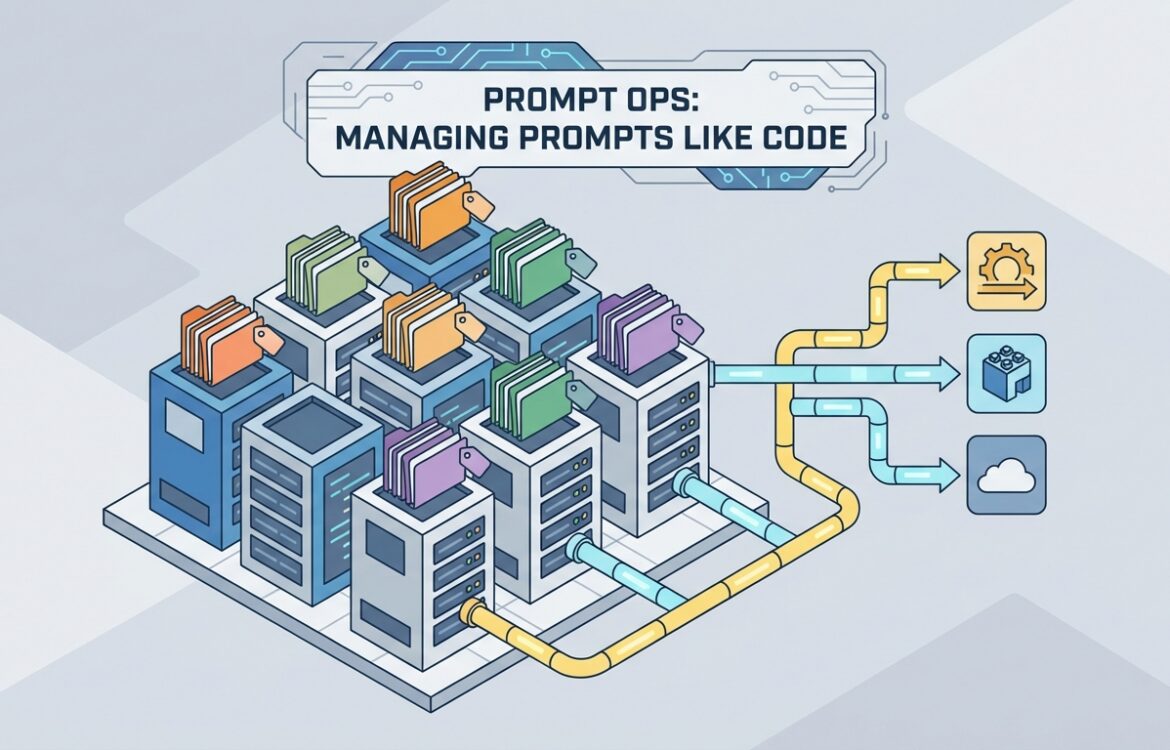
Prompt Ops: Managing Prompts Like Code for Reliable, Repeatable LLM Systems
Prompt Ops is the practice of treating prompts and prompt pipelines as first-class engineering artifacts: versioned, tested, deployed, monitored, and governed like code. This matters because prompt drift, silent regressions, and ad-hoc prompt edits create reliability and security risks in production LLM applications. In this article you’ll learn the core principles underpinning Prompt Ops, a recommended prompt structure that supports testing and reuse, a step-by-step workflow for managing prompt changes, and specific quality-control and failure-mode checks you can automate in CI/CD. Key tooling and recommended patterns are cited from vendor and open-source documentation so you can act immediately with proven techniques. (platform.openai.com)
Core principles behind the Prompt Ops workflow
Prompt Ops implements a small set of engineering-first principles so prompt-driven systems remain reliable as they scale:
- Prompts are versioned artifacts. Store prompts in a dedicated repository or prompt registry with immutable commits and semantic versioning so you can roll back or audit changes. Tools and approaches that store prompts alongside code (or in a prompt registry with commit tags) are designed for this. (promptg.io)
- Prompts are testable and evaluated automatically. Define deterministic evals and red-team tests that run on prompt diffs and in CI. Automated evaluations reduce trial-and-error and catch regressions before they reach users. Open-source tools exist specifically for automated prompt testing and red-teaming. (github.com)
- Prompts are parameterized, modular, and environment-aware. Separate stable instruction text, variable templates, and environment configuration (dev/staging/prod) so you can change content without breaking logic. LangChain-style prompt templates and reusable prompts in model provider dashboards support this separation. (docs.langchain.com)
- Prompt changes are deployed through CI/CD with gating. Treat prompt updates like code changes: require reviews, run unit/regression tests, and gate merges with performance thresholds. Webhooks, commit tags, and CI integration make this repeatable. (docs.langchain.com)
- Runtime observability and metadata are required. Log prompt IDs and versions with each request, collect output quality signals (parse errors, user corrections, satisfaction), and correlate incidents with prompt versions for fast rollbacks. Vendor docs recommend pinning model snapshots and tracking prompt versions for reproducibility. (platform.openai.com)
Recommended prompt structure
A consistent, modular prompt structure makes testing and maintenance practical. Use a template that separates intent, constraints, context, examples, and output schema. Below is a recommended canonical layout; make each part a discrete, versioned piece so tests can target them independently.
- Header / Role instruction (system-level): short, authoritative instruction defining the assistant role and global safety constraints (policy, refusal rules).
- Goal / Task description: the specific task and desired success criteria (what “good” looks like).
- Context block: dynamic content injected at runtime (documents, user data). Keep size limits and explicit separators. Use triple quotes or clear delimiters per platform guidance. (help.openai.com)
- Examples / Demonstrations: 1–3 representative examples showing input→desired output format (positive and negative examples where helpful).
- Output schema & validators: explicit JSON schema, function signature, or clear formatting directives. When possible, prefer function-calling or structured outputs to reduce parsing errors. Guardrails and validator frameworks can be wired to this section. (github.com)
- Post-processing hooks and fallback behavior: guidance for re-asking, sanitizing, or refusing unsafe requests. Encode deterministic fallbacks for common parser failures.
Store the template in a machine-readable format (JSON/YAML/Prompt package), expose template variables (e.g., {{user_text}}), and include metadata: owner, intent, tags, expected eval dataset, and CI gate thresholds. Registry systems and prompt managers commonly support these fields and enable programmatic pulls by tag or version. (docs.langchain.com)
Example workflow (step-by-step)
- Create or edit the prompt as code. Edit the prompt file in your prompt repository or prompt manager (use a template format: f-string, mustache, Jinja). Small, focused commits help testing and code review. For local-first workflows, tools can keep a .prompt/ folder tracked in Git. (docs.langchain.com)
- Author unit and regression tests. Add a small eval set (10–100 representative cases) and expected assertions (format, required fields, refusal behavior). Configure red-team scenarios for adversarial inputs. Use declarative test configs so CI can run them against multiple models. Open-source frameworks make this repeatable. (github.com)
- Open a pull request and review. PRs should include: prompt diff, test results on local evaluation, rationale for changes, and risk assessment. Reviewers check intent drift, possible safety regressions, and owner sign-off. Use commit tags or PR metadata to indicate environment targets (e.g., prod tag). (docs.langchain.com)
- CI: run automated evaluations and policy checks. CI runs the prompt tests across pinned model snapshots and compares metrics against thresholds (accuracy, parsing success, jailbreak hits). Block merge on regressions. Tools can run model-agnostic tests and red-team suites in CI. (github.com)
- Deploy with controlled rollout. Tag a prompt version for staging first (commit tag or registry version). Run canary traffic or shadow deployments that log differences to observability systems. If metrics are stable, promote the tag to production. LangSmith-style commit tags and webhooks simplify promotion. (docs.langchain.com)
- Instrument runtime telemetry and alerts. Always include the prompt ID and prompt version in logs and traces. Monitor quality signals (format parse rate, user corrections, latency, increasing support tickets) and set alert thresholds pointing to prompt versions for fast triage. (platform.openai.com)
- Postmortem and iterative improvement. If issues appear, capture a dataset of failing requests, run local reproductions against historical versions, and either patch the prompt or roll back the production tag. Maintain an audit trail linking commits, tests, and deployment tags. (promptg.io)
Quality control and failure modes
LLM systems introduce new failure modes beyond typical software. Addressing them requires both preventative tests and runtime mitigations. Below are common failure modes and concrete QA steps to detect and mitigate each.
- Silent degradation (prompt drift): symptoms: quality slowly declines after a prompt edit or model upgrade; users report subtle errors. QA: enforce evaluation on a stable dataset for every prompt change and on scheduled model-upgrade runs; block merges when metrics fall below thresholds. Log prompt version with each call to find regressions quickly. (platform.openai.com)
- Format and parsing errors: symptoms: outputs fail to parse JSON or miss required fields. QA: use strict output schemas, prefer function-calling where supported, and add parser assertions in tests. Use validator libraries or guardrails to reject malformed outputs and trigger reasks or safe fallbacks. (github.com)
- Jailbreaks and adversarial inputs: symptoms: model ignores constraints or reveals disallowed content. QA: include adversarial inputs in red-team tests, run promptfoo-style vulnerability scans in CI, and maintain a guard checklist. Deploy runtime guardrails that detect unsafe outputs and block or sanitize them. (github.com)
- Context contamination / prompt injection: symptoms: user-supplied content manipulates the assistant’s behavior. QA: isolate user-controlled content, enforce strict separators, and validate inputs. Use input guards that detect suspicious tokens or known injection patterns in pre-checks. (help.openai.com)
- Model changes causing behavior delta: symptoms: upgrading the model snapshot changes behavior even without prompt edits. QA: pin model snapshots in production and run evals when you intentionally upgrade; treat model upgrades like code releases with rollbacks and preflight tests. (platform.openai.com)
- Operational issues (latency, cost spikes): symptoms: changes cause longer runtimes or unexpected token usage. QA: include performance and token-usage checks in CI and monitor runtime metrics; use small canary rollouts before full promotion. (help.openai.com)
Recommended QA tooling and practices:
- Automated prompt tests and red-team suites (promptfoo) integrated into CI. (github.com)
- Runtime validation and structured-output enforcement (Guardrails) to validate outputs and apply on-fail strategies. (github.com)
- Prompt registries and commit-tag workflows (LangSmith, PromptG) to support programmatic pulls, tagging, and webhook-driven pipelines. (docs.langchain.com)
- Observable metadata: prompt_id, prompt_version, model_snapshot, eval_run_id, and test result hashes included in traces for fast triangulation when problems occur. (platform.openai.com)
FAQ
What is the difference between treating prompts as code and storing them in a CMS?
Treating prompts as code emphasizes immutability, review workflows, automated tests, and CI/CD gates. A CMS may be useful for content-style prompts, but it often lacks versioned commits, code-review PRs, and CI integration. For production systems you want the guarantees of code: rollbacks, diffs, and test automation. Prompt managers and local-first tools combine the convenience of centralized storage with code-like workflows. (promptg.io)
How do I run tests that are model-agnostic?
Design tests that assert properties of the output (schema valid, contains required fields, no disallowed content) rather than exact token-level matches. Use tools that can run the same test definitions against multiple providers or model snapshots to compare behavior. Red-team tests that target vulnerability classes (injection, hallucination, toxicity) are especially valuable across models. (github.com)
How should I store prompt metadata and use it at runtime?
Store metadata alongside each prompt: owner, intent, expected-eval-set, required CI gates, and allowed deployment environments. At runtime, include the prompt ID and prompt version in each request envelope and log it with downstream events. This metadata is essential for tracing regressions to a specific prompt commit or tag. (docs.langchain.com)
How do I mitigate cost and latency regressions after prompt changes?
Include token-usage and latency checks in your CI test suite and on canary runs. Enforce max-token budget and perform cost-impact analysis when changing context sizes or example counts. If a prompt causes unacceptable costs, revert to a lighter-weight template and iterate with targeted performance tests. (help.openai.com)
When should I prefer function-calling or structured outputs over free-text prompts?
Prefer structured outputs when you need deterministic parsing, downstream automation, or strict schemas (records, JSON, action calls). Function-calling reduces parsing ambiguity and integrates naturally with validator frameworks and guardrails; fall back to structured prompts only when the model supports reliable structured responses. (github.com)

I write about turning AI from a fragile experiment into something teams can rely on every day. My focus is on prompt engineering, agentic workflows, and production systems—showing how to design, test, version, and scale AI work so it stays consistent, repeatable, and useful in real businesses.